A custom booking system that follows your rules
The short answer: a custom booking system makes sense when standard tools can’t handle your rules on pricing, resources or payment. We build it with a calendar, MobilePay or Stripe, SMS reminders and an admin panel, in fixed packages from DKK 18,000 plus DKK 600 a month.
- 30+
- Kirppu stores on one booking platform
- 40+
- Integrations, incl. MobilePay and Twilio
- 24
- Hours to a written fixed-price proposal
A standard booking tool is fine when you sell slots of the same length at the same price. It gets difficult as soon as your business has rules: stands rented by the week, staff with different skills, deposits, discounts for regulars, or a settlement that has to be passed on to a third party. That is when you start building workarounds – and the workarounds often end up in a spreadsheet.
Why do off-the-shelf booking tools fall short?
- Prices and rules can only be set up within the tool’s templates
- Payments and bookkeeping don’t connect, so someone reconciles by hand
- Customers are sent to a third-party page that looks nothing like yours
- The data lives with the vendor, and exports are limited
- The subscription often scales with users or locations
- Integration with your accounting or in-house systems is missing
What features does a custom booking system have?
The building blocks of a typical booking system.
| Feature | What it does |
|---|---|
| Calendar | Shows available slots, spaces or resources in real time |
| Online payment | MobilePay, cards via Stripe or a deposit at booking |
| SMS and email | Instant confirmation and a reminder before the appointment |
| Customer profile | History, receipts and the option to move or cancel |
| Admin panel | Overview, manual bookings, prices and rules |
| Accounting | Invoices and entries straight to e-conomic or Dinero |
| Reports | Occupancy, revenue and cancellations |
SMS reminders are sent via Twilio, and payment is handled with MobilePay, Stripe or QuickPay. What matters is that the payment is written back into the system, so a booking only shows as paid once the money has actually been taken. Otherwise you end up calling customers who have already paid, or letting in someone who never did. Refunds on cancellation belong in the same flow, so you don’t handle repayments by hand in online banking. Read how the flow fits together in the guide to MobilePay integration.
Customer chooses
A slot, service or space in the calendar, with your pricing rules.
Payment
MobilePay, card or deposit, confirmed by webhook.
Notification
Instant confirmation and an SMS reminder before the appointment.
Delivery
The job appears in the admin panel with every detail.
Bookkeeping
The payment is passed on to the accounting system.
Custom or standard booking system?
How the two routes differ.
| Criterion | Standard tool | Custom |
|---|---|---|
| Getting started | Quick, often the same day | Weeks, after scoping |
| Rules and pricing | Within the template | Exactly as your business works |
| Design | The vendor’s look | Your brand throughout |
| Payment | The vendor’s choice | MobilePay, Stripe or QuickPay |
| Data | With the vendor | You own data and code |
| Integrations | Limited | To your own systems |
| Price | Subscription per user or location | Fixed package and fixed monthly fee |
If you are a small business with simple appointments, a standard tool is often the right choice, and we are happy to say so. If in doubt, read custom software vs off-the-shelf. If you are a tradesperson, we have a page on booking systems for tradespeople.
What does a custom booking system look like in practice?
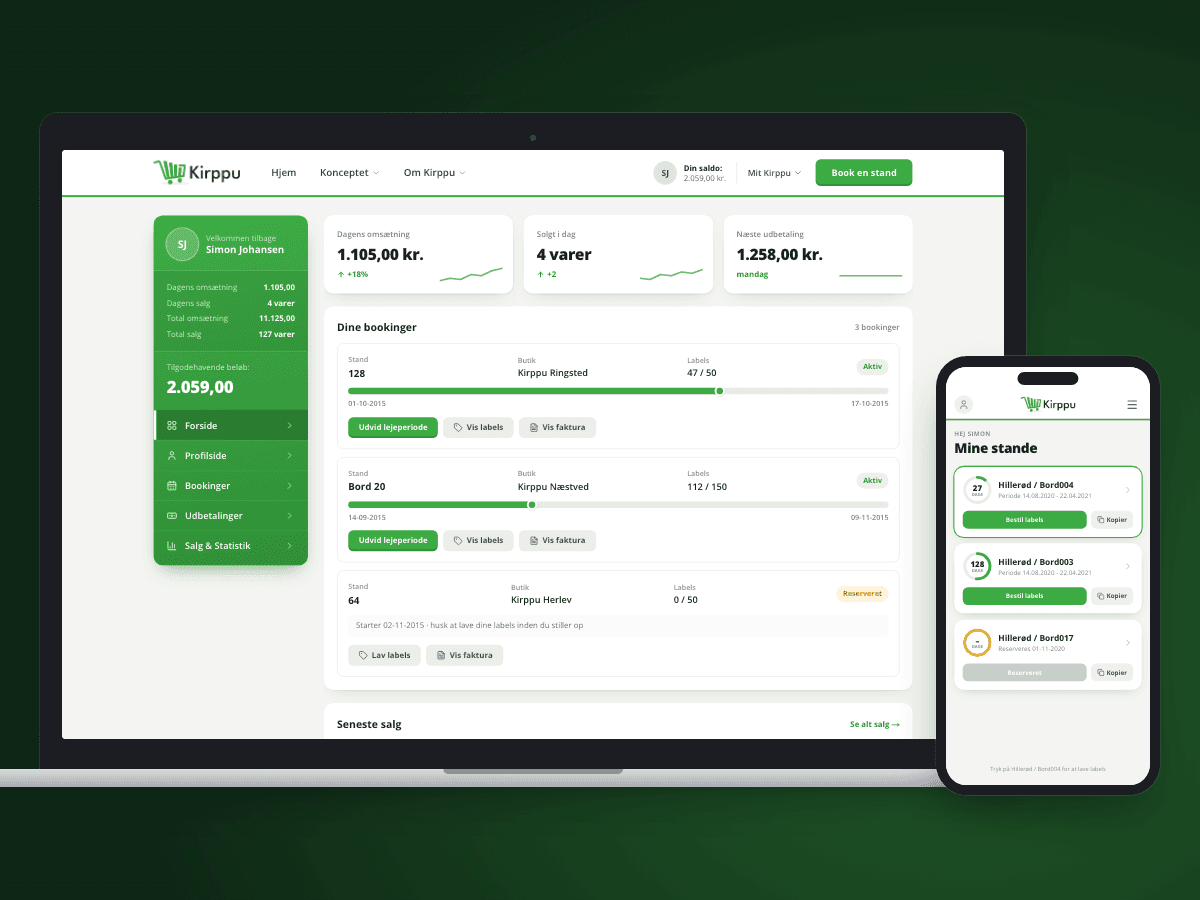
Kirppu is Denmark’s largest chain of flea market supermarkets. We built the booking system behind it: stand booking, a panel for renters and a mobile app for labels. The platform grew from one store to more than 30. It is a clear example of a business where the rules – weeks, stands, renters and settlement – are the product itself. See the Kirppu case.
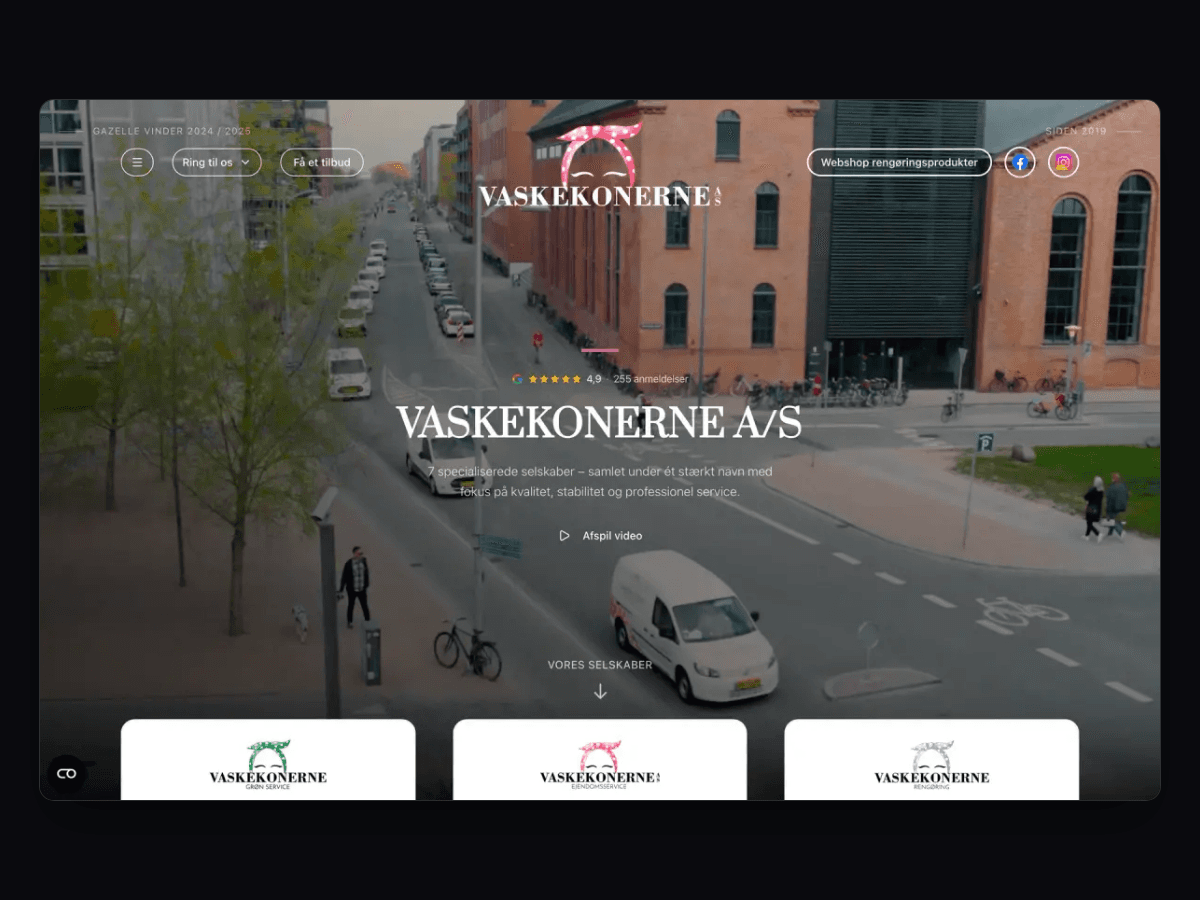
For Vaskekonerne, booking became part of one circuit with the website and operations, so a booking automatically turns into a job for the right person. Many start out with bookings in a spreadsheet; read how to replace Excel with a custom system.
What should you have ready before building a booking system?
A booking system is only as good as the rules it is built on. The more clearly you can describe them, the faster and cheaper the project becomes. Before the first meeting, it is worth writing down the answers to these questions – bullet points are fine:
- What is booked: slots, spaces, rooms, equipment or staff?
- How is it priced: fixed, per hour, per week, seasonal prices or discounts?
- When does the customer pay: at booking, as a deposit or afterwards by invoice?
- What are the rules for moving and cancelling, and what does it cost the customer?
- Who internally needs to see and change bookings, and at which locations?
- Which systems should bookings end up in: accounting, scheduling or CRM?
The answers become the feature list in your proposal. If you can’t answer all of them yet, that is perfectly normal – we work through them during scoping.
How much does a custom booking system cost?
A booking system with a calendar, admin panel and one payment integration fits Small: DKK 18,000 plus DKK 600 a month. With payments and SMS it is Medium at DKK 36,000 plus DKK 900 a month. If bookkeeping is included too, it is Large at DKK 54,000 plus DKK 1,200 a month with three integrations. If customers or renters need a mobile app, as at Kirppu, mobile packages start at DKK 28,000 plus DKK 1,200 a month. See pricing.
What our clients say
We have worked with Ceptiv on several of our digital offerings, and they have become a natural part of the team. They move fast, turning ideas into new designs and clickable prototypes quickly, so we can test with customers early instead of debating on paper.
FAQ
Questions about custom booking systems
How much does a booking system cost?
Can customers pay with MobilePay when booking?
Does the system send SMS reminders?
When is a standard booking tool enough?
Can the booking system connect to e-conomic or Dinero?
Can the system grow to more locations?
Tell us what you need built
You get a written fixed-price proposal within 24 hours. No sales calls required.
