Clickable prototype: see and test your app before it is built
The short answer: a clickable prototype is a realistic model of your app or web app that users can click through, even though no code has been written yet. We test it with real users, fix what does not work, and turn it into a build at a fixed price.
- 0
- Lines of code before the idea is tested
- 24
- Hours to a written fixed-price proposal
- 12–36
- Features in the packages once the build starts
The most expensive mistake in a software project is building the wrong thing really well. A prototype is the cheapest way to avoid it. Instead of debating a requirements document for weeks, you, your colleagues and your customers can hold the solution in your hands and feel whether it makes sense. The screens look finished, the buttons work, and the flow from first tap to final confirmation can be completed. The only thing missing is the engine room behind it.
Why build a prototype before writing code?
Prototype first
- Misunderstandings surface on screen, not in code
- Changes take hours, not sprints
- Everyone sees the same thing, from management to developer
- The quote is based on something concrete
Code first
- Flow problems appear when users get the product
- Every change touches database, logic and tests
- Each party reads the requirements differently
- The budget slips because scope only becomes clear along the way
A prototype does not replace a good requirements specification, but it sharpens it. Once the screens are tested, every feature can be described precisely, which is why we can give a fixed price for the build afterwards.
What kind of prototype do you need?
Pick the level of detail by what you need to learn, not by what looks nicest.
| Level | What it is | Best for |
|---|---|---|
| Sketches and wireframes | Grey boxes showing structure and content | Early clarity on what the product must do |
| Clickable low fidelity | Wireframes linked so the flow can be walked through | Testing navigation and sequence |
| Clickable high fidelity | Finished design with real copy, colours and states | User tests, investors, management and fixed-price quotes |
We work in Figma, so the prototype opens in a browser or on a phone via a link. You can share it with colleagues and customers without installing anything, and comments can be left directly on the screens.
How do we test the prototype with real users?
We put a handful of people from the target audience in front of the prototype and give them realistic tasks: book a slot, find an invoice, add a new employee. We do not explain how it works; we just watch. Where do they hesitate? What do they tap that is not a link? Which words do they not understand? Each session is short, and after only a few, the same problems keep recurring. Then we fix the prototype and test again. The methods come from our user research work.
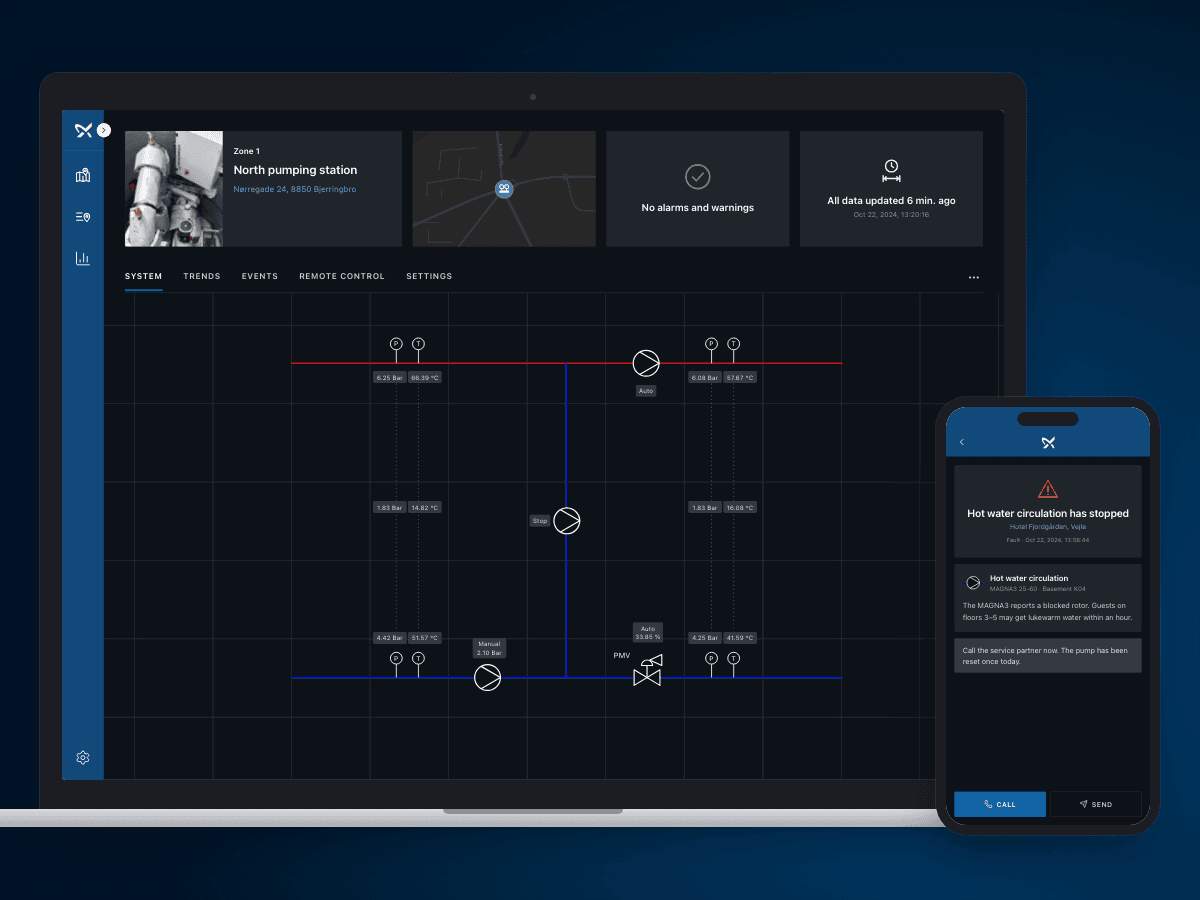
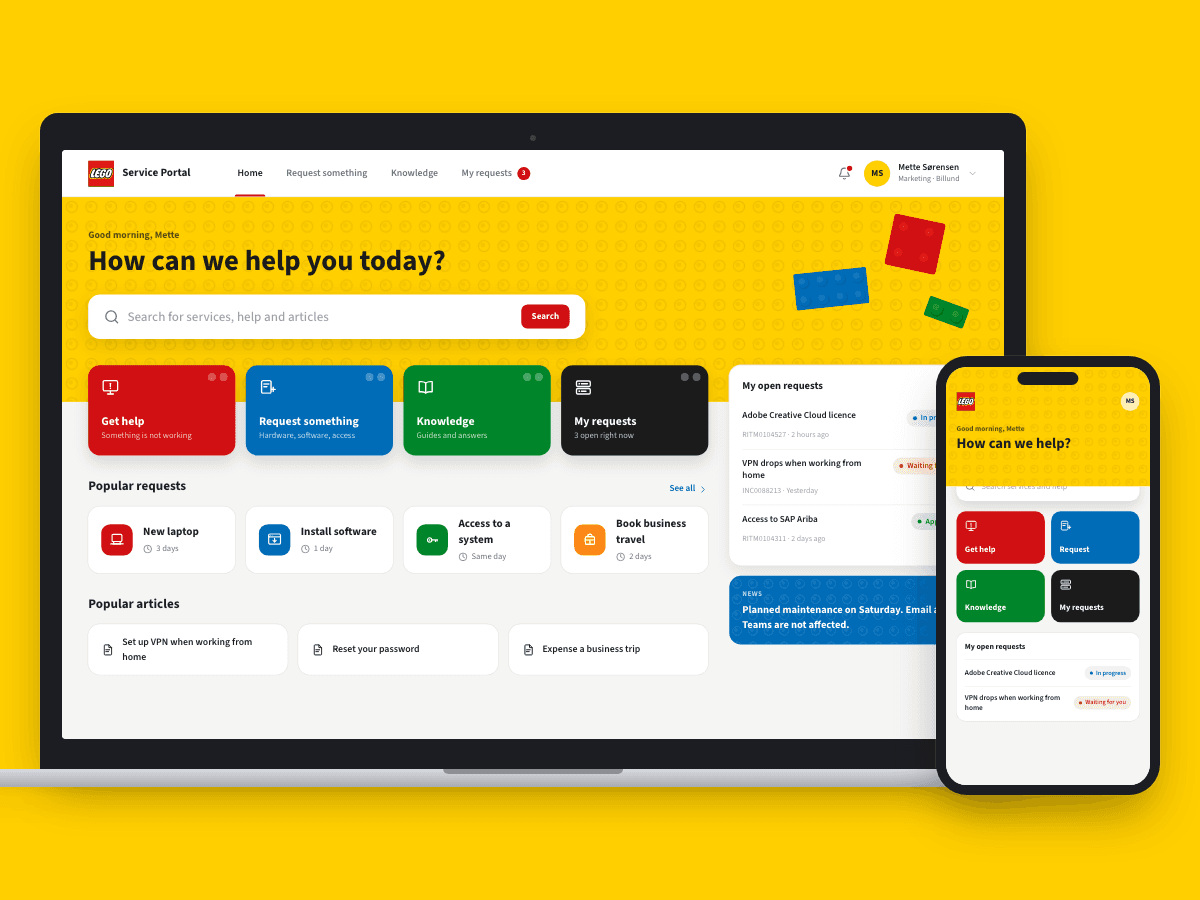
For Grundfos we designed customer portals for Grundfos iGRID in district heating, from field research to UI, with clickable prototypes as the bridge between research and design. At LEGO the Service Portal was shaped by usability tests, journey mapping and workshops with employees before the solution was locked.
What should you have ready?
- A short description of the problem the product must solve, and for whom
- The three to five tasks users most need to complete
- Sample data, such as an order, a customer or a rota, so the screens look realistic
- Access to a few people from the target audience willing to spend half an hour on a test
- Your logo and any colours, if the prototype should look like your brand
That is all it takes to get started. If you already have a requirements document, paper sketches or a spreadsheet you work in today, bring it along. It is often the best evidence of how the work actually gets done.
From prototype to a fixed-price build
Week 1: Discovery
Workshop on goals, users and the key tasks. Sketches of the flow.
Weeks 2–3: Prototype
Clickable Figma prototype with real copy and the key states.
Weeks 3–4: Test and fix
Sessions with users, fixes and another round if needed.
Then: Build
A fixed price for the build in one of our packages, with the prototype as the blueprint.
Once the prototype is tested, we count features and integrations and place the build in one of our packages. A web app starts at EUR 2,500 plus EUR 85 a month, and a mobile app at EUR 4,000 plus EUR 165 a month. The prototype itself is priced as a fixed amount in the written proposal, which you receive within 24 hours. For a first version, the natural next step is often MVP development. See every package on pricing.
What our clients say
We have worked with Ceptiv on several of our digital offerings, and they have become a natural part of the team. They move fast, turning ideas into new designs and clickable prototypes quickly, so we can test with customers early instead of debating on paper.
FAQ
FAQ: clickable prototypes
What is a clickable prototype?
What does an app prototype cost?
How many users should test the prototype?
Can the prototype be reused when the product is built?
Can we use the prototype with investors?
How long does it take to make a prototype?
Tell us what you need built
You get a written fixed-price proposal within 24 hours. No sales calls required.
